For those who are new to on-page SEO checklist optimization could be confusing. There are a lot of checklists, tools and views available on the internet. It is difficult to figure out where to begin.
Initially, when I began learning on-page SEO checklist, I was of the opinion that using my keyword ‘n’ number of times would ensure ranking of the web page high. However, as I tried this process on various sample web pages, I realized that SEO is all about knowing how people are searching and then creating pages that suit both the users and the search engine.
Although I haven’t worked on live client websites yet, I’ve gained practical experience by optimizing sample websites. Through this hands-on practice, I’ve learned how improving title tags, meta descriptions, headings, keyword placement, internal linking, and image alt text contributes to better content quality and stronger SEO fundamentals.
Although I have not conducted any optimization services for any client’s website, I have gained some experience from it. It was achieved through the optimization process of sample websites. I have learnt that there are some small things which matter, for example title tags, meta descriptions, headings and keywords. Linking and alt tags for images are also very important.
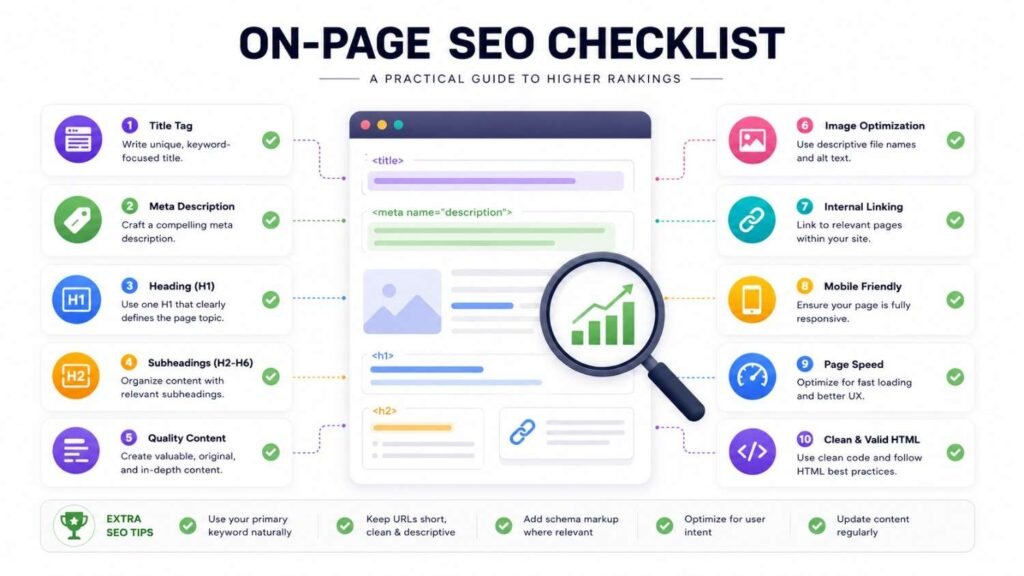
This is my list for on-page optimization that I use every time I optimize a webpage.
* This is how I ensure that my efforts are fruitful.
This is what I do every time.
Definition of On-Page SEO
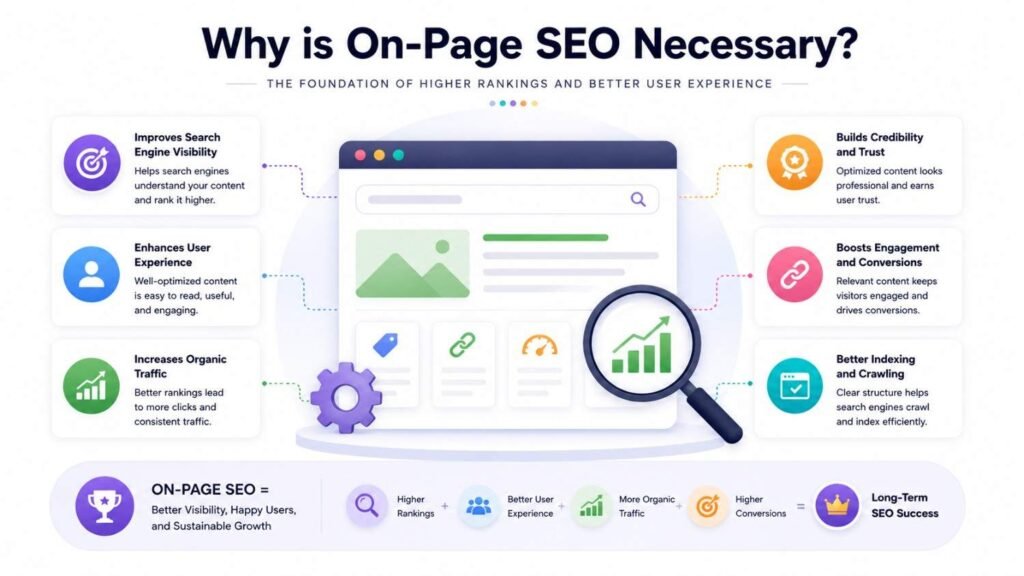
On-Page SEO consists of actions performed on your website. It ensures that search engines will understand your content. Besides, it also improves the user experience.
In contrast to off-page SEO, which involves obtaining links from other websites, on-page SEO is an action you control on your website.
Characteristics of an On-Page SEO friendly page include:
* Comprehensible
* Beneficial to the reader
* Organized
* Relevant to users’ queries
* Optimized naturally
* On-Page SEO improves performance of your website.
On-Page SEO is vital for your website.
On-Page SEO should be applied to all pages of your website.
—
On-Page SEO Checklist of Mine
1. Understand the Target Keyword and Search Intent
People when searching for something look for what they need.
And every optimization should start with an understanding of what people actually need in their search for the Target Keyword.
In the past, I used to think about ways to incorporate the Target Keyword into my content times.
But now I think about what issue searching for the Target Keyword is going to solve.
That was a big shift in my thinking which completely changed my attitude towards the Target Keyword and Search Intent and on-page SEO.
And one thing I found out is that people who are just starting to learn on-page SEO tend to pay too much attention to the Target Keyword.
But they do not pay any attention to the Search Intent.
And even if your content is perfect for the Target Keyword, it will not be of any use if it fails to answer people’s questions on the Target Keyword.
Both the Target Keyword and the Search Intent are equally important.
We have to think about them both.
2. Write a Title Tag That Works Well with Search Engines
When people search online the title tag is one of the things they see and search engines see it too.
Here is what I do when writing my title:
* I make sure my title includes the keyword in a natural way
* It clearly tells users what the page is, about
* It encourages users to click on it
* It does not stuff many keywords in
I do not try to fit many keywords into one title. Instead I focus on making it clear and easy to understand.
3. Make a Great Meta Description
While the meta description does not directly affect the ranking of a website, it does help in drawing attention to your website through increased clicks.
The following are some tips to consider when crafting a great meta description:
– The meta description tells you what the page is all about
– The meta description contains the keywords naturally
– The meta description should entice users to click it
– The meta description describes what is on the page
Consider the meta description as an advertisement for your page whenever there is a search done on the internet. The meta description is simply a description of what your page is about.
4. Organize Content with Proper Headings
headings are really important for making your content easy to read and for search engines to find.
Content with headings is very helpful.
I like to set up my pages in a way.
I do this by using:
– One H1 for the topic of the page
– H2s for the big sections of the page
– H3s for the smaller supporting points of the page.
Organizing your content with headings makes it easy for people to quickly look at your page and understand what it is about.
This also helps search engines like Google understand what your page is, about.
So it is an idea to organize your content with proper headings.
Organize your content with headings and it will be easy to read and understand.
5. Creating Helpful Content
This is the crucial stage of on-page SEO.
As far as I see, the trick in creating good content is in helping others.
When writing content, I try not to make it look impressive to search engines.
What I try to do is to provide answers to users’ questions in a straightforward manner.
What I want to say to newbies in content creation is:
“Do not write for search engines but write for people.”
When your content is really helpful and informative and solves the reader’s problem, you are creating a good content.
Creating Helpful Content is extremely important not only for people but for on-page SEO as well.
I believe that creating Helpful Content is something that you should do for your website.
6. Use Keywords Naturally
Earlier in my learning journey, I believed repeating keywords would improve rankings.
Thankfully, I learned that’s not how modern on-page SEO works.
Now I simply make sure the primary keyword appears naturally in:
– The title
– Introduction
– Headings
– Body content
– Conclusion
I also include related keywords where they fit naturally without forcing them.
7. Make Internal Links
Internal links are actually a great thing. They can help your site’s visitors find certain information. At the moment when internal links work, search engines learn how your website is structured.
I tend to link articles that are connected to each other with the same topic.
It helps to navigate through your website better and to draw visitors’ attention to other pages on your website. That is why internal links are quite effective in this sense.
8. Optimization of Images
Image optimization also holds importance because images help increase the worth of your site for your visitors.
Before posting my web page, I would:
– Write a description of the image
– Give a name to the file in a rational way
– If required, I would make the image smaller
– Put the image at its rightful place
Description of the image tells the search engine about the content of the image and renders it useful for humans.
9. Review Readability
In my opinion, any great content won’t get success if it is difficult to read.
When publishing my stuff, I check whether Readability of the content is okay. For this, I look at several factors.
– The paragraphs are short and easy-to-read
– The headings are clear. Make sense
– The sentences are concise and comprehensible
– The grammar is correct and without mistakes
– The content of the article is smooth and comprehensible
The purpose of each article in terms of its Readability is to make it easy and understandable for beginners. This way, I aim to have the Readability of all my articles excellent so that everybody could understand me.
10. Do A Check For Search Engines
Before I say a page is done I go through a list one more time.
I make sure that:
– The words on the page are what people are looking for.
– The main keyword is used in a way that feels right.
– The headings are set up correctly.
– I have added links to pages, on the site.
– The pictures have words that describe what they are.
– The writing is easy to understand. Has no mistakes.
– The page is really useful and easy to read.
When I have done all these checks do I think the page is ready to be seen by everyone
SEO Tools I’ve Used During Practice
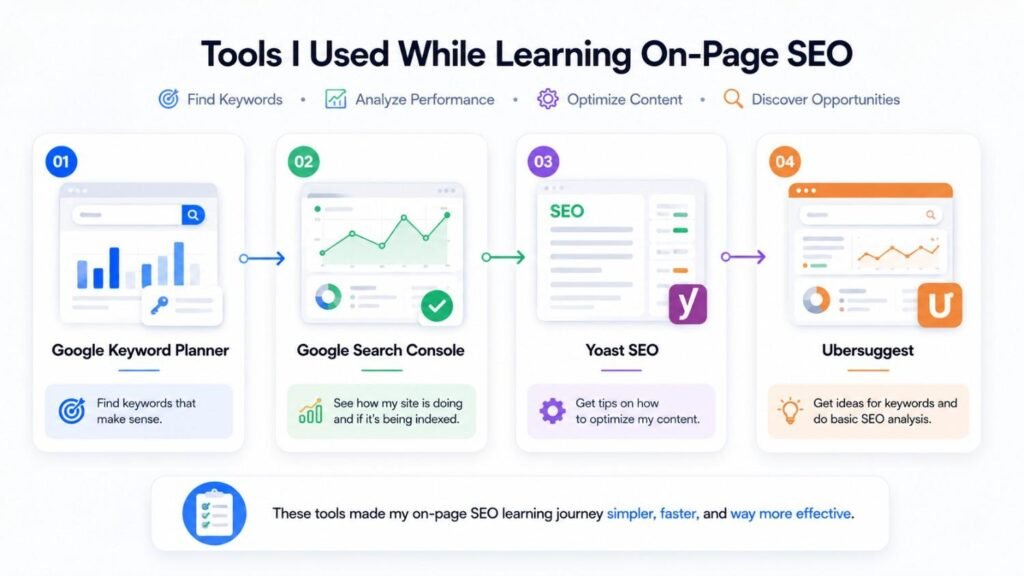
– Google Keyword Planner to find keywords that make sense.
– Google Search Console to see how my site is doing and if its being indexed.
– Yoast SEO to get tips on how to optimize my content.
– Ubersuggest to get ideas for keywords and do some basic SEO analysis with Google Keyword Planner.
These tools helped me see how, on-page SEO works. I used Google Keyword Planner a lot.
A Beginner’s Common Error
For some time, I was convinced that the number of keywords I used had direct correlation with ranking.
It is only after that I realized that the search engines are in fact designed to give higher ranking to webpages which are helpful in locating the searched-for information by the users.
Today, all I am concerned about is to provide helpful content.
Important Concepts
These are some of the actions that I take:
– I identify people’s search needs.
– I research the intended word.
– I make the title look appealing.
– I write an enticing description.
– I use relevant headings.
– I create an original work.
– I incorporate keywords appropriately.
– I create links to other pages on my website.
– I describe the image using texts.
– I make sure it is easy to understand.
– I check everything for SEO purposes.
Asked Questions
So it is super important, because it tells the search engine what is your website all about. That will help your website visitors.
Can I Rank My Website With Only On Page SEO?
You should absolutely think about doing that. Its all part of it, you are only going to cover part which is On-page SEO. Other things to think about are, the quality of your content’s You have on-page SEO and more, right? Websites that relate to yours. You need to keep the number of links that are coming to your website as well as the quality of all those links in mind. You are likely to be affected by these factors in your website ranking.
When beginning with SEO, many new users make the mistake of believing SEO relates only to keyword positioning. These new users will not generate as much success as they otherwise would with SEO if they follow this particular principle: when it comes to creating search-engine-optimized content, if you start by researching the search terms that potential customers are typing into search engines for solutions, then you can create content that targets those search strings.
If you are a beginning-level SEO user, the following resources are excellent tools to help you accomplish creating content that contains keyword placement, but also gives you ratings as to your SEO capabilities and rating in comparison to other competing websites. Additionally, many of these tools provide assistance through their functions. The following is a list of some of the most common tools to consider as part of your search-engine-optimization efforts: Google Search Console, Google Keyword Planner, Yoast SEO, and User Suggest.
Conclusion
I am learning about on-page SEO. It is a process. I am still. Getting better at it. When I practice on sample websites I learn that doing well with search engines is not about trying to trick them. It is about helping people find useful information.
The thing I want to learn more about is search intent. Making my content better. I think the websites that really help people are the ones that will do well in the run with search engines.
If you are just starting out do not worry if your pages are not perfect. Just follow a list of things to do make sure you are making content that is really helpful and keep learning from each project. On-page SEO is like learning you get better with each article you write and that is what I am doing with, on-page SEO.